How badges and medallions are sound activated ?
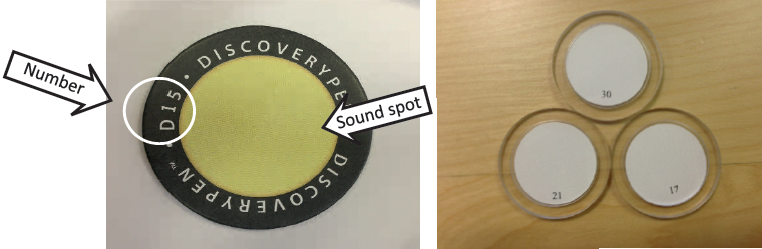
All the badges have a unique number that correspond to numbers in DiscoveryLINK. Open DiscoveryLINK, select the badges profile, then allocate your mp3 files as before. Once ready, connect the pen via usb to DiscoveryLINK and the compiled file will automatically be transferred to your pen. You are then ready to start listening when pen touches badge.
Want to make changes? No problem. Change the appropriate mp3 files and once again, click ‘Upload’ and the new file will be transferred to the pen.
It is as easy as this, make as many changes without incurring any new costs.Remember, the same DiscoveryPEN will read all sound enabled media : leaflets, badges, medallions, wall panels, outdoorplatforms.