How It Works
How Does the DiscoveryPEN work ?
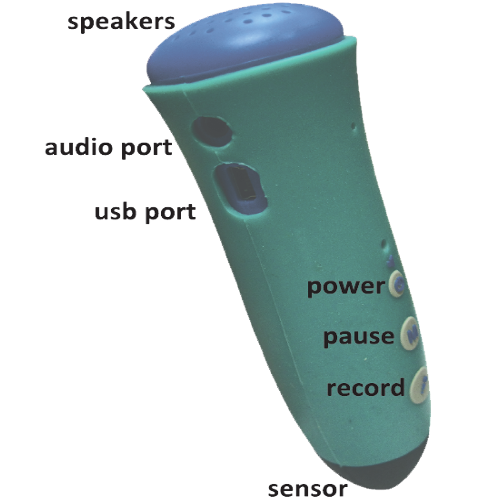
The DiscoveryPEN is simple, but effective and affordable, technology which is used in schools, by the RNIB, for Bird recognition, and for Museums, Heritage Houses, and Nature Trails. The pen has 3 buttons, although only the power button is needed to listen to an audio trail.
Turn on the power button and touch any ‘sound-spot’ printed on leaflets, badges, posters etc. The sensor tip detects the sound spot and plays back the allocated mp3 file. The pen-user can pause the recording by clicking the M button quickly, or stop it by touching another sound spot…
How Outdoor Talking Platforms are made ?
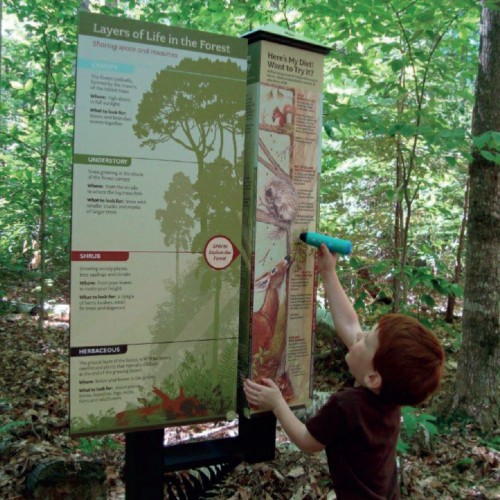
We have the partners to make the actual outdoor platforms, be they in wood, metal or laminates.
All you need to do is provide us the 300dpi PDF artwork. We can print up to 70cm wide and 1.5m long (portrait or landscape). Also, on a rough artwork indicate where you would like sound spots. Each sound spot can hold up to 60 minutes audio. We will then do the rest, and supply the platform along with the DPENs….
All you need to do is provide us the 300dpi PDF artwork. We can print up to 70cm wide and 1.5m long (portrait or landscape). Also, on a rough artwork indicate where you would like sound spots. Each sound spot can hold up to 60 minutes audio. We will then do the rest, and supply the platform along with the DPENs….

How Talking Wall Panels are made ?
Design your artwork and decide where you want to have sound spots. Number them according to numbers in DiscoveryLINK using the ‘wall panel’ profile.
Open DiscoveryLINK, and allocate mp3 files to the numbered sound spots. When ready, click ‘Upload’ and the compiled file will automatically be loaded into the DiscoveryPEN.
Open DiscoveryLINK, and allocate mp3 files to the numbered sound spots. When ready, click ‘Upload’ and the compiled file will automatically be loaded into the DiscoveryPEN.
Send us the high resolution pdf with a rough copy indicating where each numbered sound spot is to be positioned.
How badges and medallions are sound activated ?
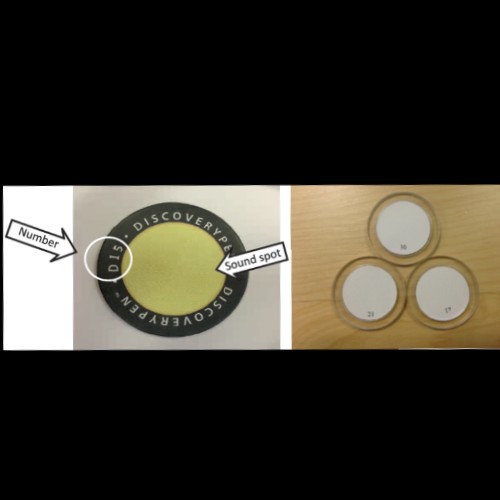
All the badges have a unique number that correspond to numbers in DiscoveryLINK. Open DiscoveryLINK, select the badges profile, then allocate your mp3 files as before. Once ready, connect the pen via usb to DiscoveryLINK and the compiled file will automatically be transferred to your pen.
You are then ready to start listening when pen touches badge…
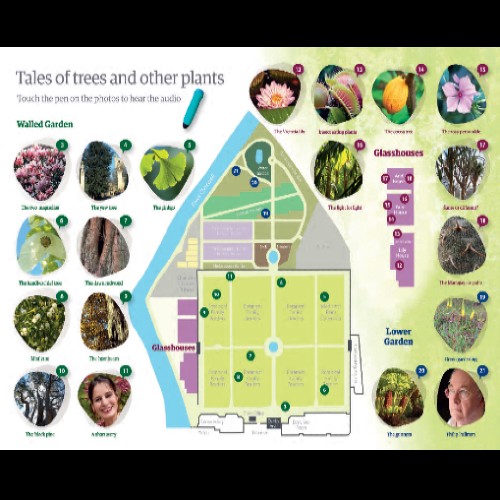
How Leaflets are made?
Making paper leaflets with artwork that talk is really easy. You can laminate them, or even bulk print of pence, so that the visitor can listen and take it away home as an aide-memoir! Here is what you do:
1. Make a rough sketch of the vidual graphic – could be pictures, maps, text….
2. Decide where you want sound spots to be.
3. Give the sketch to your Graphics Designer who sends us a print ready high res pdf.